How do I connect RingCentral?
The RingCentral integration is in beta.
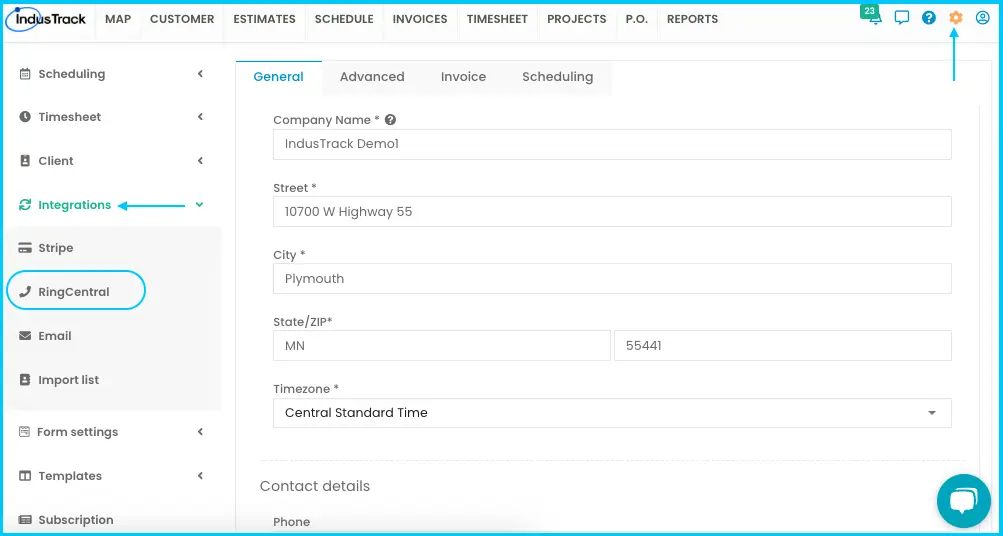
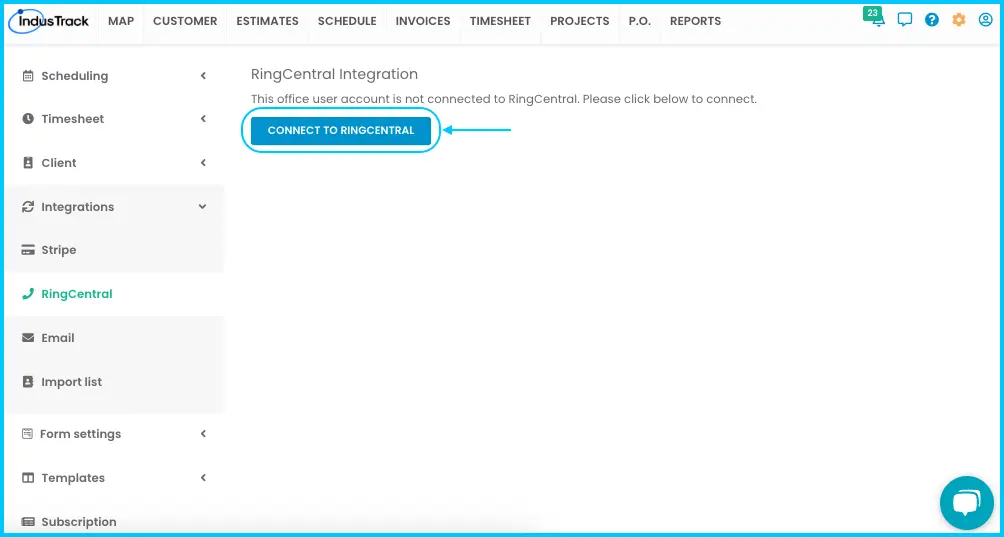
Go to Settings›Integrations›RingCentral, click Connect to RingCentral and log in to your RingCentral account. You can then call customers through RingCentral from IndusTrack.
Before you start
Install the RingCentral app on your device. You can download it from RingCentral's website.
Connect RingCentral
-
Go to Settings›Integrations›RingCentral.
-
Click Connect to RingCentral.
-
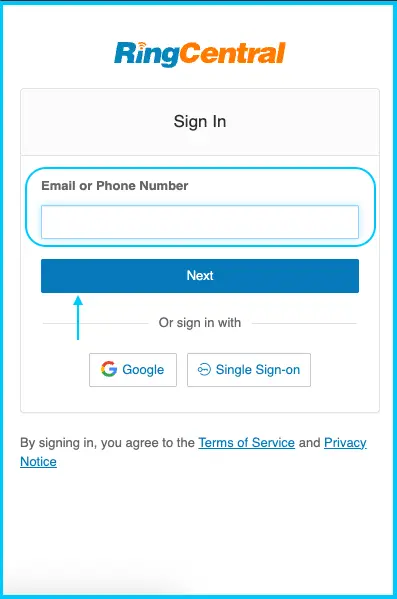
Log in with your RingCentral account and follow the prompts to finish the setup.
Was this article helpful?
Contact support