Release 92 (January 30, 2024)
Release 92 adds a Deleted Items report, cost codes in timesheet pages and reports, and changes to how reminders and task reminders are shown.
Deleted Items report
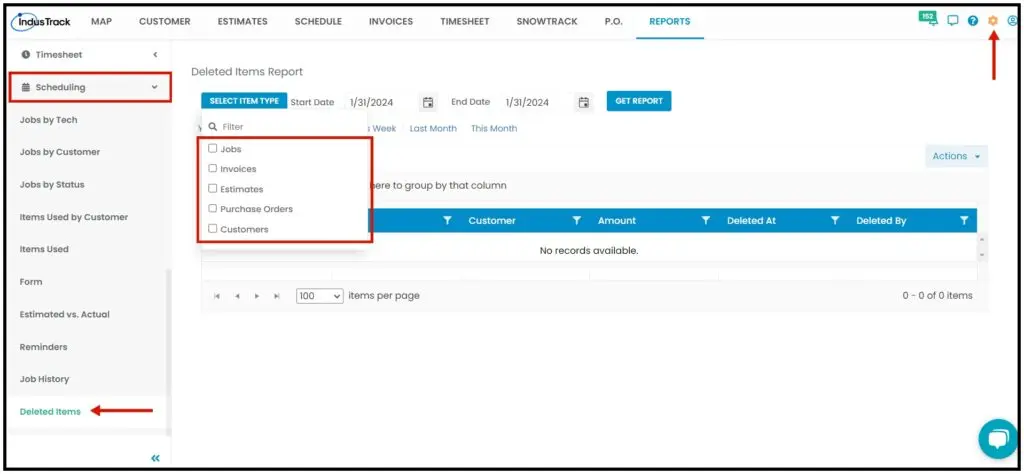
A new report under Reports›Scheduling›Jobs›Deleted Items Report lists deleted jobs, estimates, invoices, customers and purchase orders, with who deleted each one and when. Before, office users couldn't see this.
Calendar in reports
Before, the calendar opened only when you clicked the calendar icon. Now it also opens when you click in the date box.
Bell icon reminders
Before, the bell icon showed reminders assigned to every office user. Now it shows only reminders assigned to the office user who is logged in.
Cost Code column in timesheets
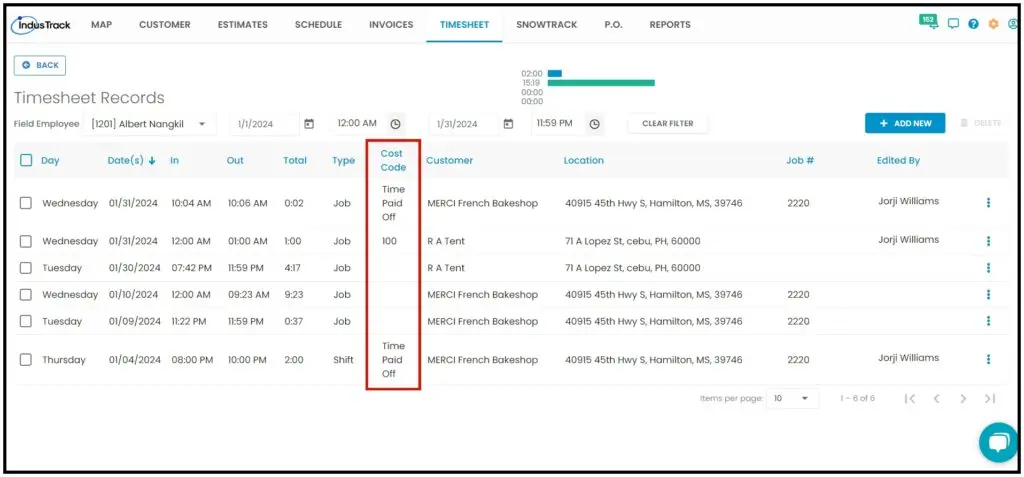
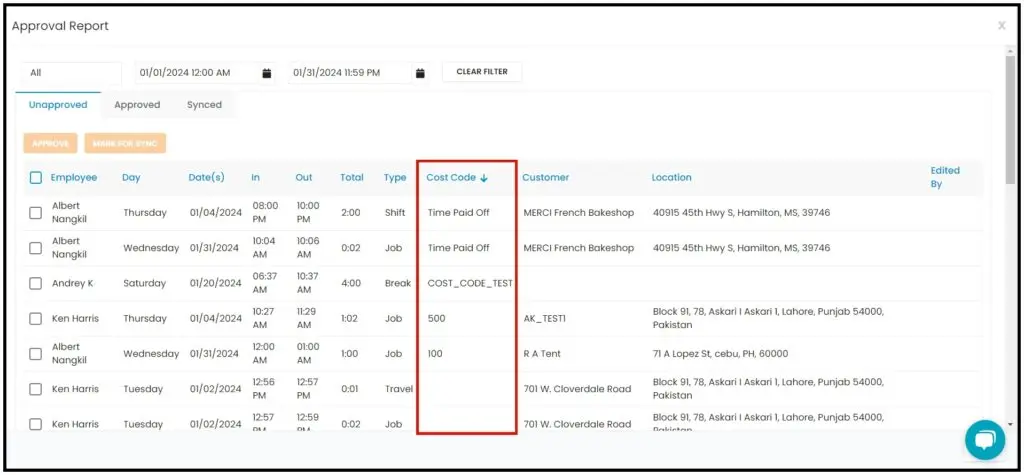
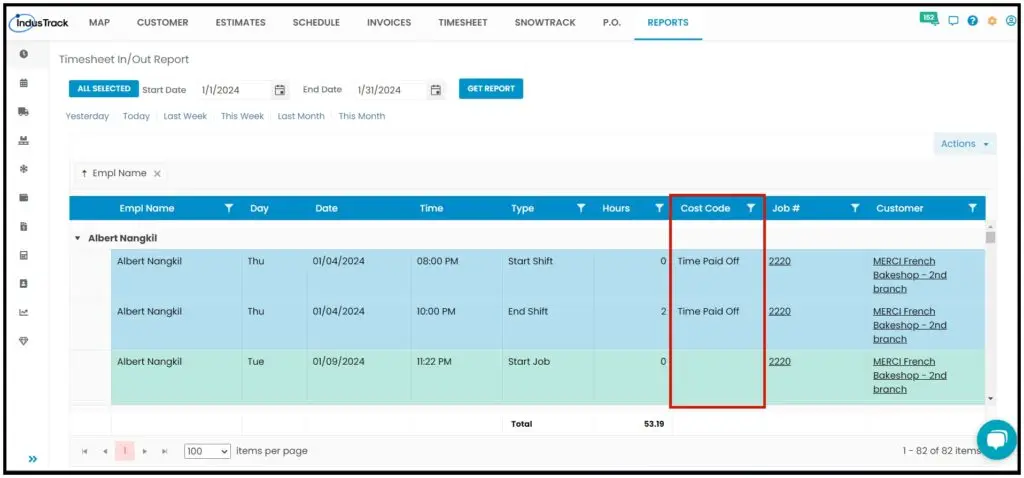
A Cost Code column now appears after the Type column in Timesheet Records, the Timesheet Approval page and all timesheet reports.
Reminders pop-up
Before, the reminders pop-up appeared only after logging out and back in. Now it also appears every 12 hours, so office users see it without logging out.
Task reminders
Before, a task reminder assigned to one office user showed on the Task Reminders tab for all office users. Now it shows only for the person it is assigned to, on the Task tab.
Was this article helpful?
Contact support