Release 88 (October 25, 2023)
Release 88 lets you edit the header in invoice and estimate templates and shows a customer's open estimates and on-hold jobs when scheduling.
Edit the header in invoice and estimate templates
Office users can now change the header information in both invoice and estimate templates.
-
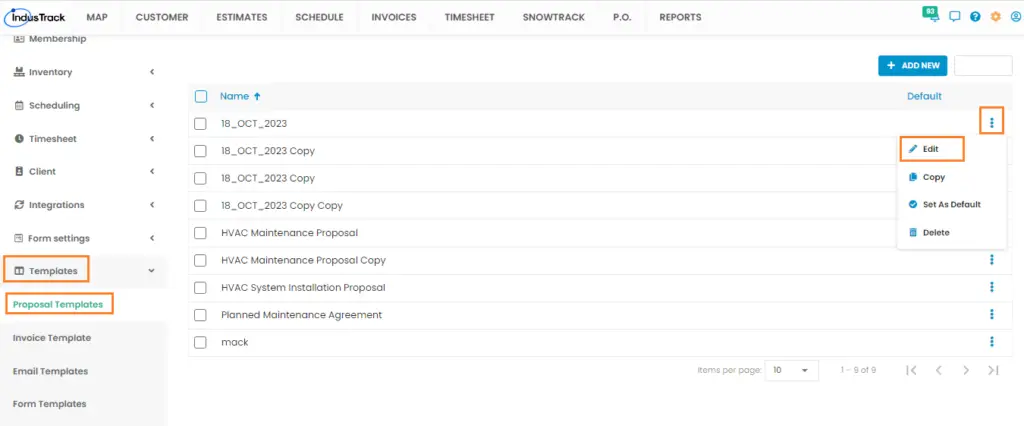
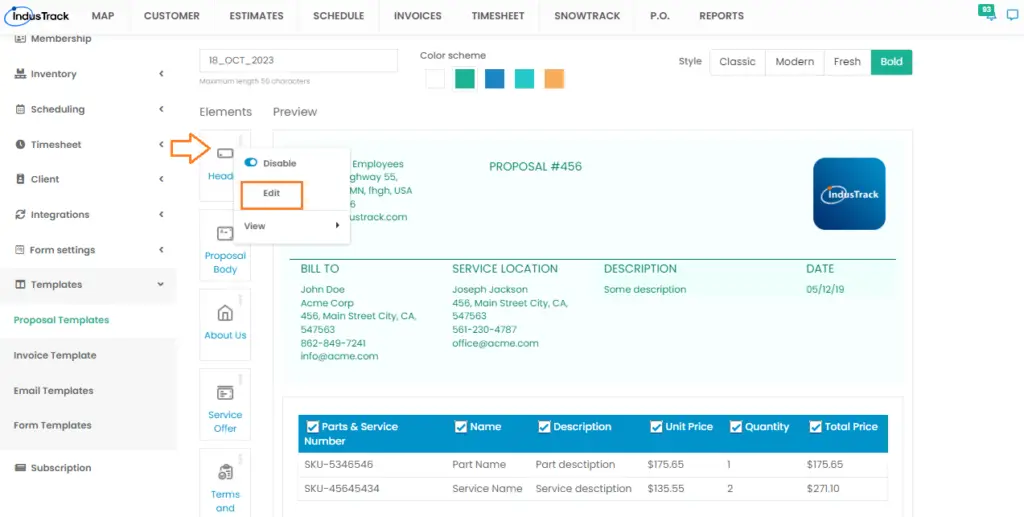
Estimate template: in Settings, click Templates > Proposal Templates, and click the three dots to edit an estimate template. Under Elements, click the three dots for Header and choose Edit.
-
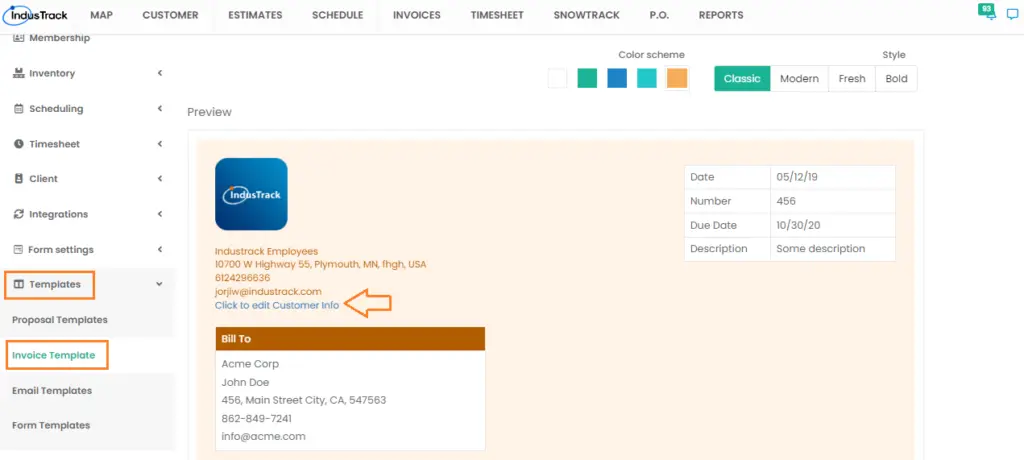
Invoice template: in Settings, click Templates > Invoice Template, then click Click to edit Customer Info.
View a customer's open estimates and on-hold jobs
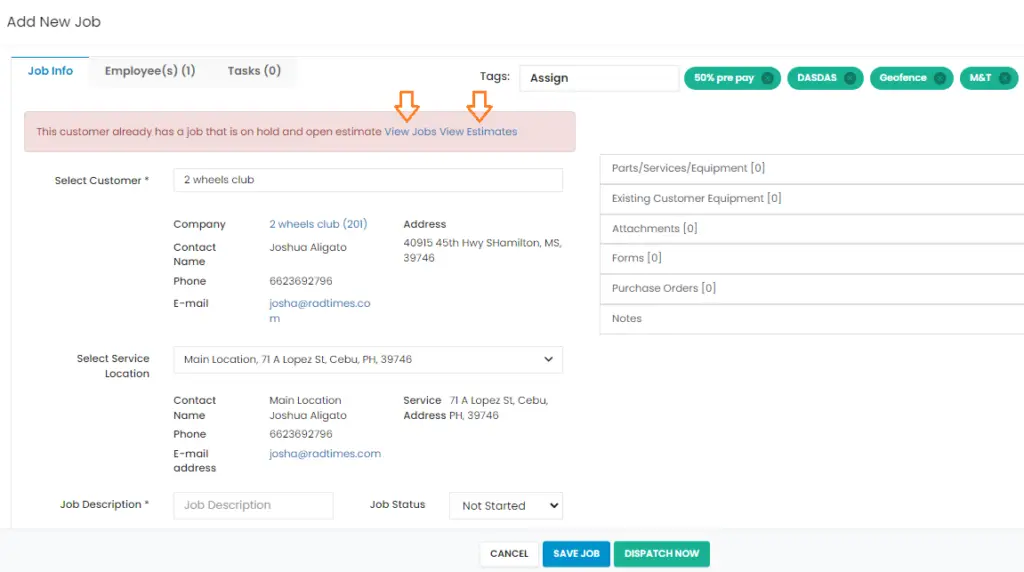
When you schedule or add a new job, if the customer you select already has an open estimate or an on-hold job, you can click it to view it.
Was this article helpful?
Contact support