Release 86 (September 4, 2023)
Release 86 adds a timesheet audit trail, protects invoices when a job is completed again, adds field notes history, and adds notifications for mobile users and estimate senders.
Audit trail for timesheet records
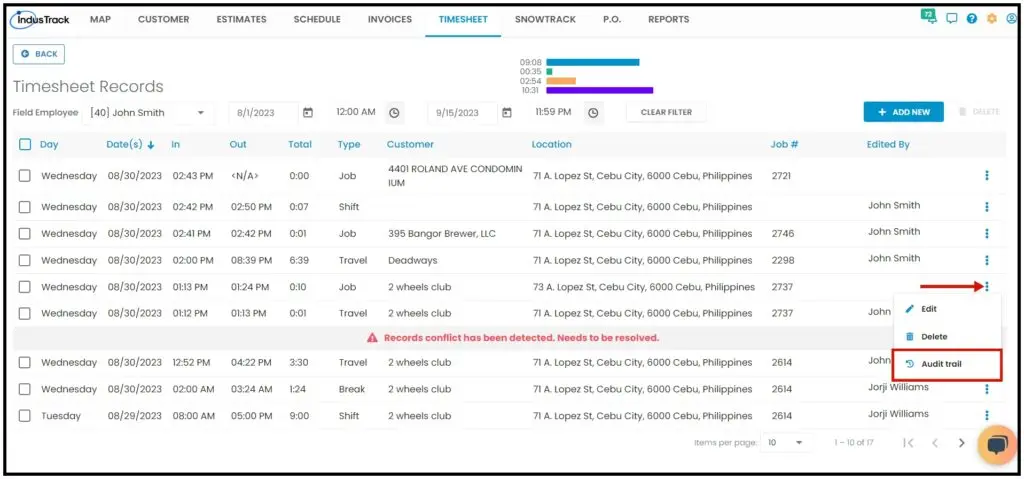
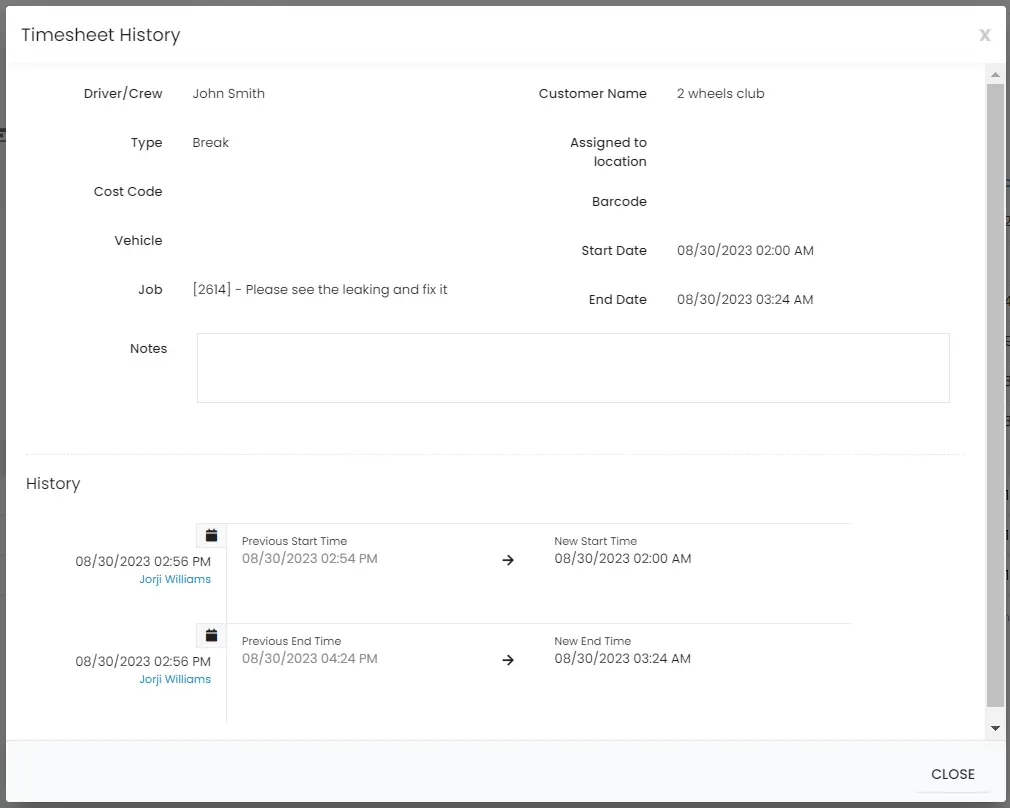
Before, edits to timesheets made by field employees didn't record the employee's name (edits by office users showed in the Edited By column). Now you can track field employees' edits made in the mobile app: in the Timesheet Records list, click the three dots for a timesheet and select Audit Trail. A window shows when the timesheet was edited, who edited it and what changed.
Invoices no longer overwritten when a job is completed again
Before, if a completed job was converted to an invoice, then changed and converted again, the old invoice was unlinked and its information lost, because a job links to only one invoice. Now:
-
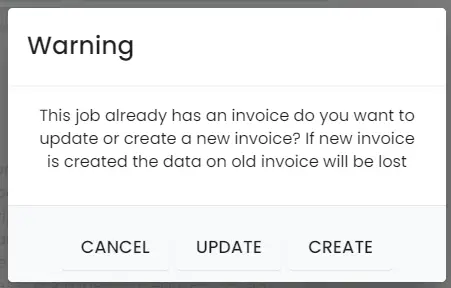
Invoice not paid: IndusTrack asks: "This job already has an invoice. Do you want to update or create a new invoice? If a new invoice is created, the data on the old invoice will be lost".
-
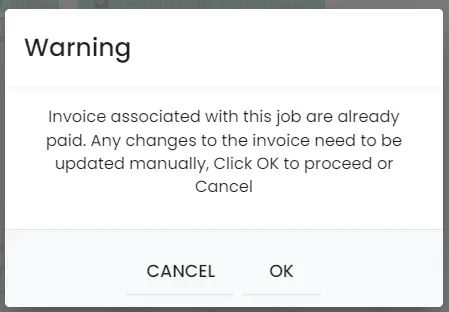
Invoice already paid: when a field or office user updates the job, IndusTrack shows: "Invoice associated with this job is already paid. Any changes to the invoice need to be updated manually, click OK to proceed or Cancel to stop".
Field notes view and history
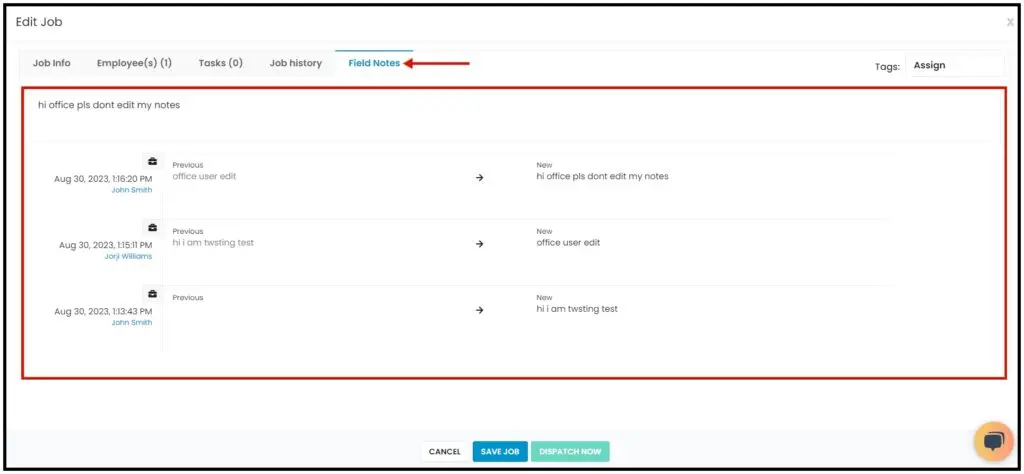
A new tab or section on the Edit Job page shows all field notes entered by field employees. It also shows who changed the field notes, including edits by office users, so you know who changed what and when.
Mobile app notifications for office changes
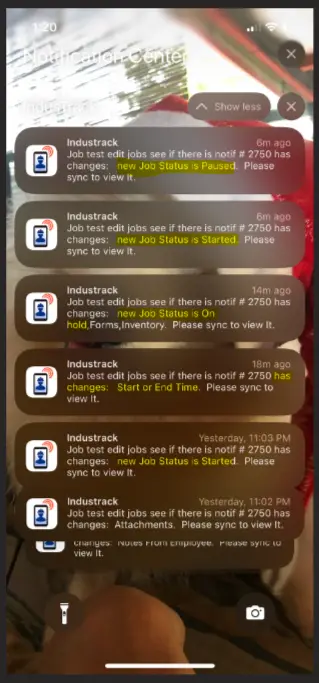
Mobile app users now get a notification when the office changes one of their jobs. For example, if an office user changes the job status from On Hold to Completed, the field employee is notified.
Email when a customer responds to an estimate
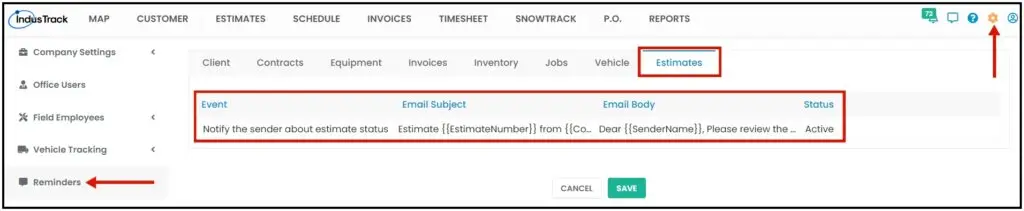
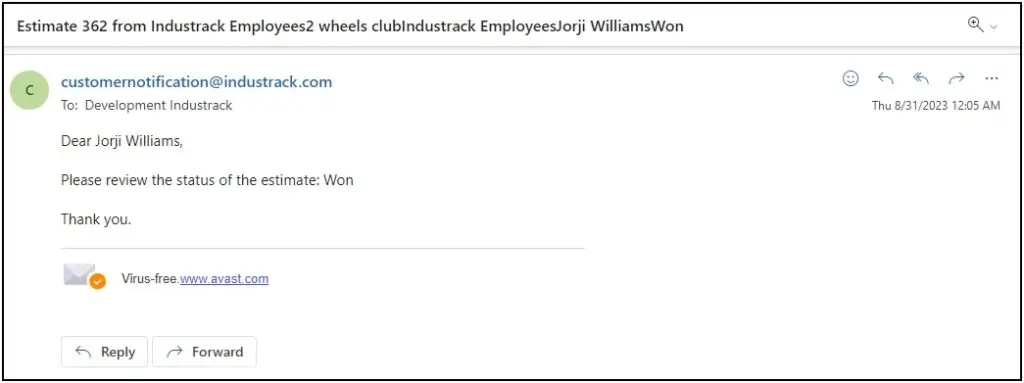
When a customer signs, approves, rejects or requests a change to an estimate, the office user who emailed it gets an email notification. An Estimates tab is added to the Reminders section, with the notification Notify the sender about estimate status.
Was this article helpful?
Contact support