How do I log completed vehicle maintenance?
Go to Settings›Vehicle Tracking›Maintenance & Reminders›Log Maintenance and click + Add Log. Log every completed service, scheduled or not, to keep a history of work and costs for reports.
Log a service
-
Go to Settings›Vehicle Tracking›Maintenance & Reminders›Log Maintenance.
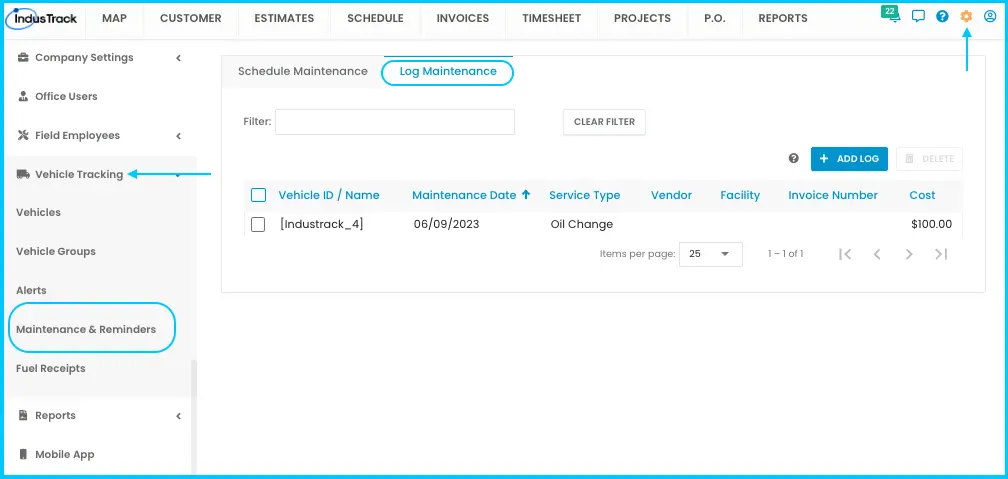
-
Click + Add Log.
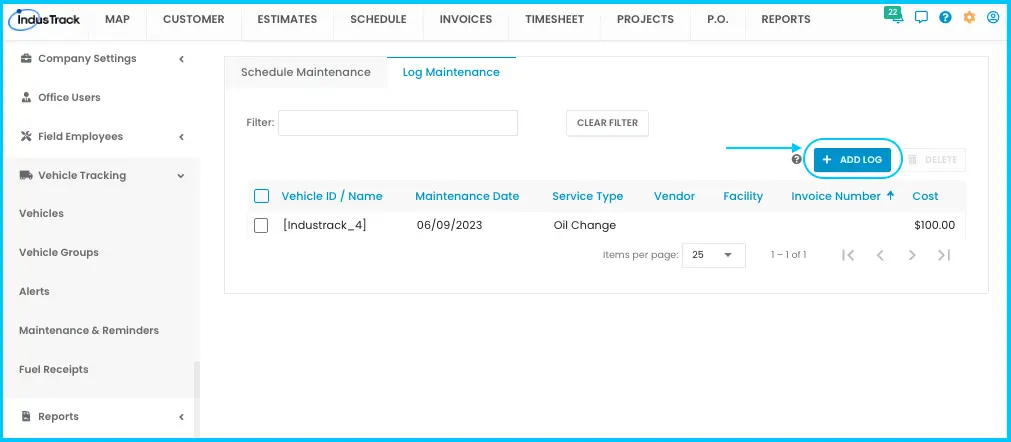
-
Fill in the general information:
- Vehicle ID/Name (required): search by name or ID.
- Service Type (required): pick from the list, or type a new one to save it for next time.
- Service Description: notes such as why it was done, whether insurance or warranty covered it, and supplies used (for example, 3L transmission oil).
- Cost: the total from the invoice.
- Date of Service (required): MM/DD/YY, or use the calendar.
- Maintenance Type: Scheduled or Unscheduled.
Watch: Filling in the general information for a maintenance log -
Check the vehicle information:
- Vehicle Miles and Engine Hours fill in from the vehicle's profile. If blank, enter the readings at the time of service.
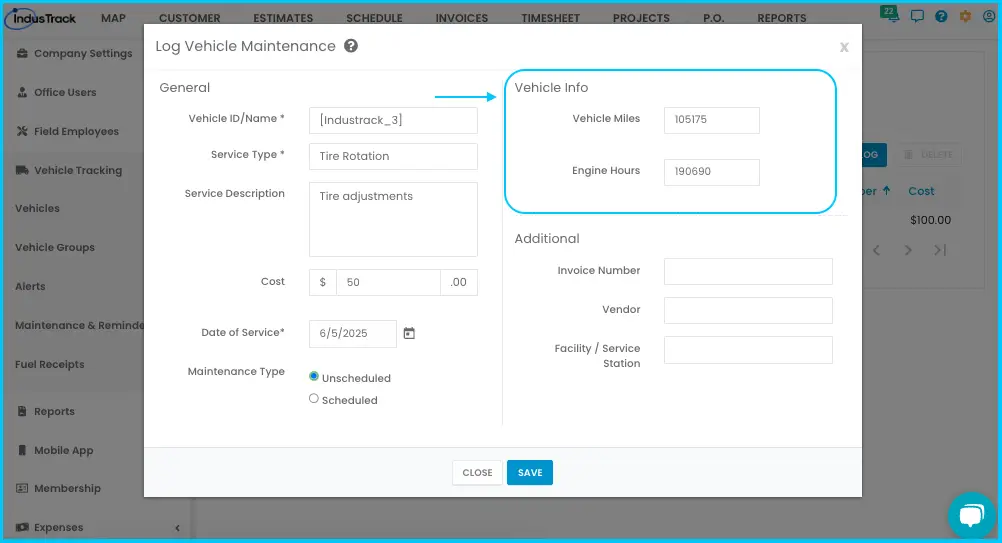
-
From the invoice or receipt, enter the Invoice Number, Vendor and Facility/Service Station.
-
Click Save. The entry appears in the maintenance log.
Watch: Adding invoice, vendor and facility details and saving the log
Shortcut: in the Vehicles list, the three-dot menu next to an active vehicle also lets you log maintenance for it.
Edit or delete a log
-
Edit: click the log's row, make changes, click Save.
Watch: Editing a maintenance log -
Delete: check the box next to one or more logs (or the header box for all), click Delete, then OK. Deleting is permanent and changes your reports, so only delete when necessary.
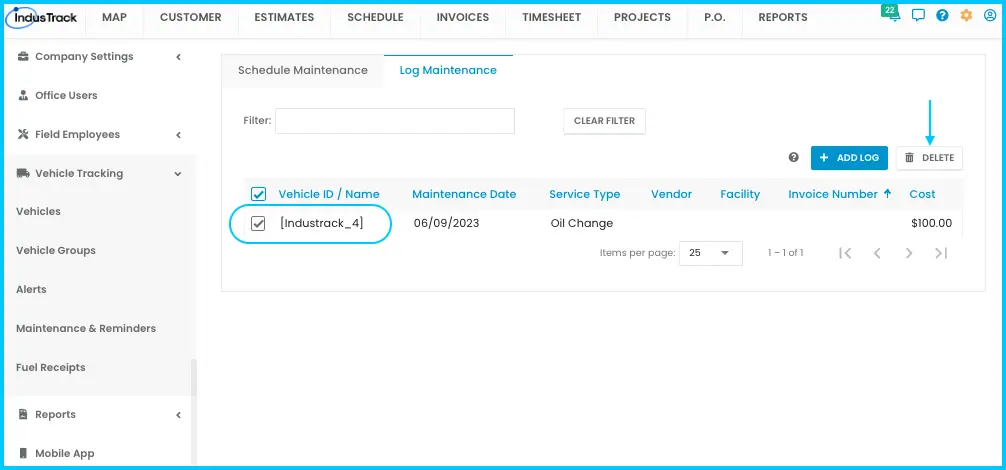
Watch: Deleting a maintenance log
Reading the log
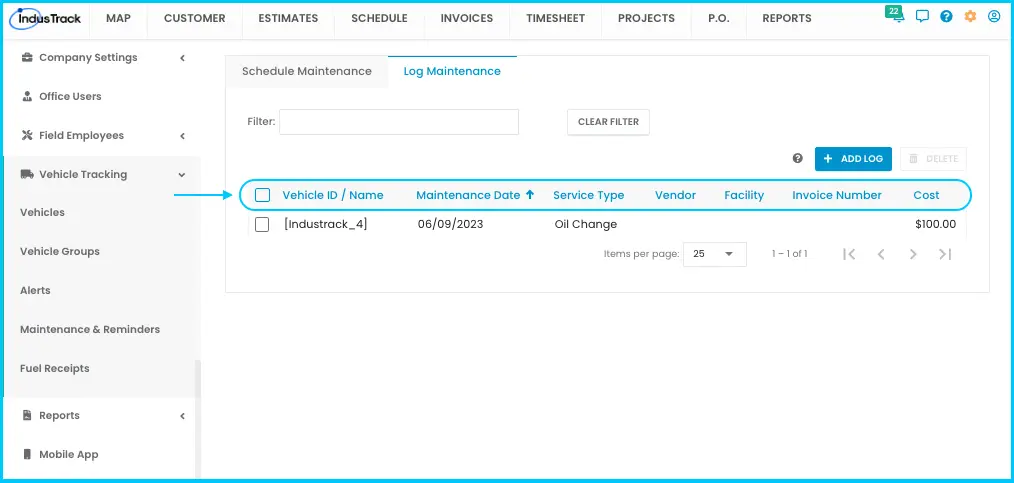
Each entry shows the vehicle, maintenance date, service type, vendor, facility, invoice number and cost. Click a column header to sort, filter as you type, and show 25, 50 or 100 per page.
Common questions
What's the difference between scheduling and logging maintenance?
Scheduling sets up reminders for future service. Logging records service that's already done.
Can I log a repair that wasn't scheduled, like a breakdown?
Yes. Set Maintenance Type to Unscheduled and note the reason in the description.
Was this article helpful?
Contact support