Release 85 (August 18, 2023)
Release 85 adds image thumbnails to Job Detail Report PDFs, shows the latest mobile app version, gathers job notes in one place, and adds new logs, reminders and follow-up tasks.
Image thumbnails in Job Detail Report PDFs
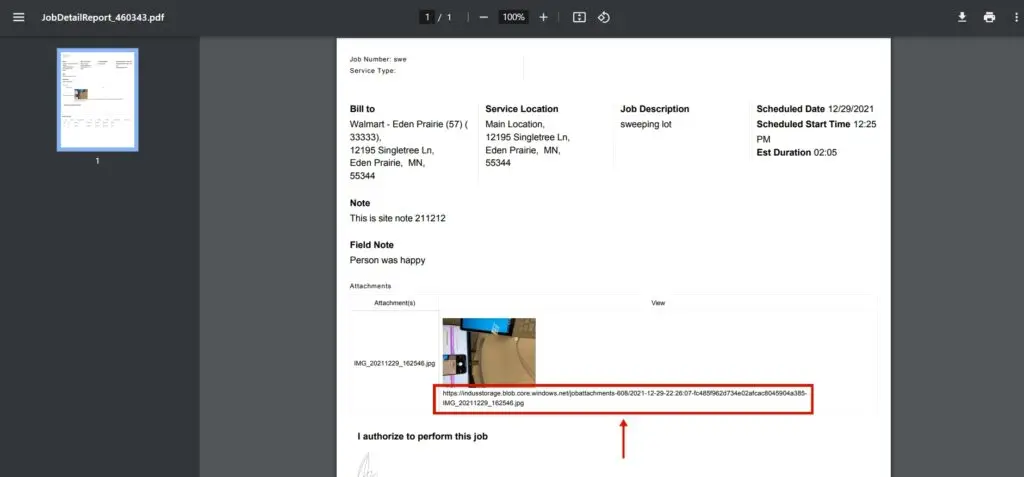
Before, a Job Detail Report saved as PDF showed only attachment file names. Now it shows small thumbnails of the images. Click a thumbnail to open the full-size image in your browser.
Latest mobile app version shown
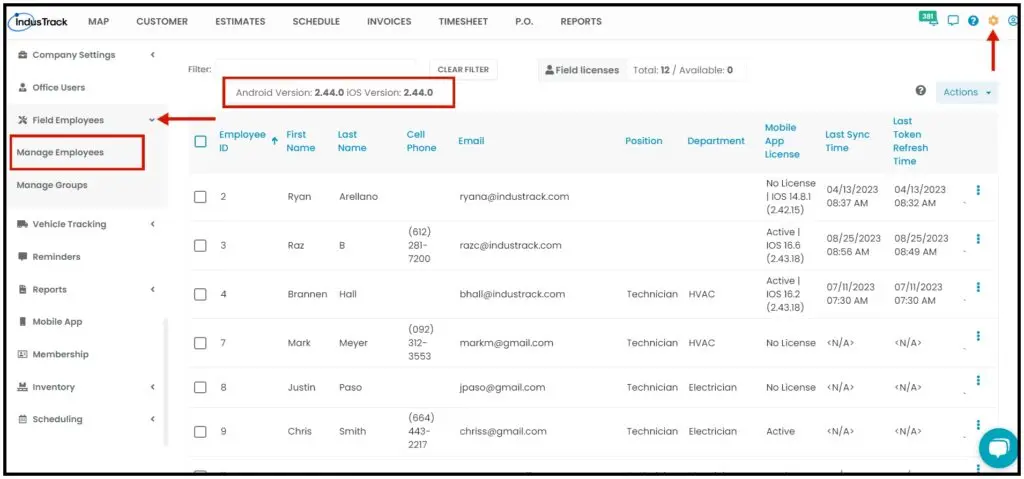
Office users can now see the latest mobile app version on the Field Employees page (Settings›Field Employees›Manage Employees). Before, they couldn't tell which version was current, and field employees on older versions had sync issues. Now you can ask field employees who don't have the latest version to update.
All job notes in one Notes section
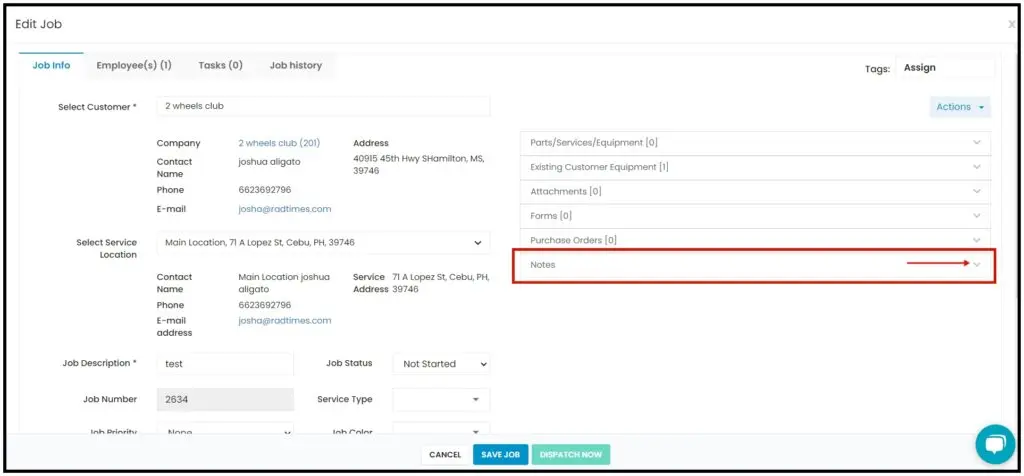
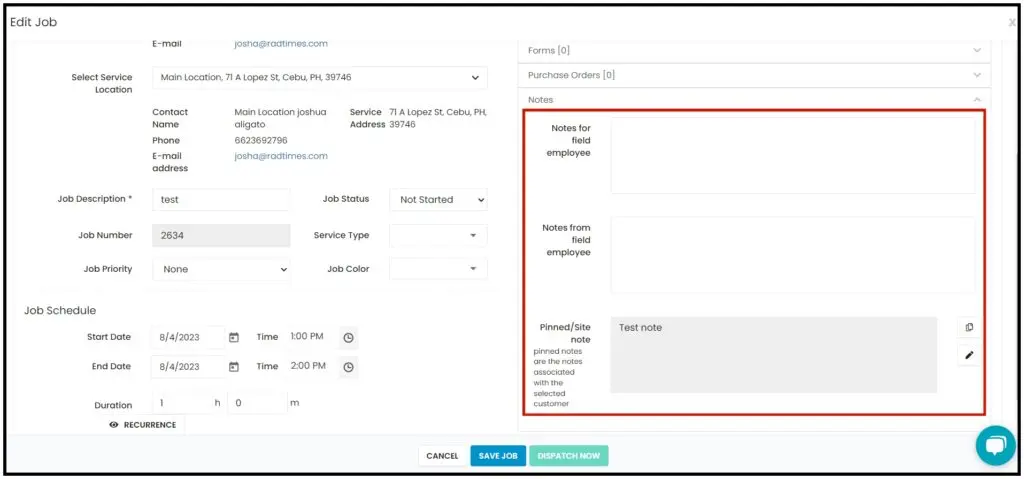
Before, you had to open different tabs to see notes from field employees and office users. The Edit Job page now has a Notes section on the right. Expand it to see notes for field employees, notes left by field employees while working at the job site, and pinned/site notes for the selected customer.
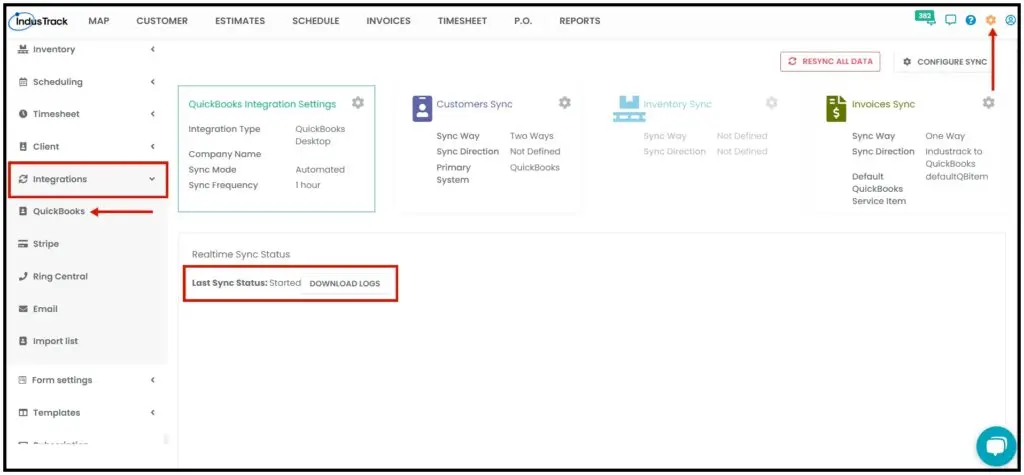
QuickBooks integration: Download Logs button
On the QuickBooks integration page (Settings›Integrations›QuickBooks), the Download errors button is renamed Download Logs. The logs show information that didn't sync properly between QuickBooks and IndusTrack, and the errors that caused it.
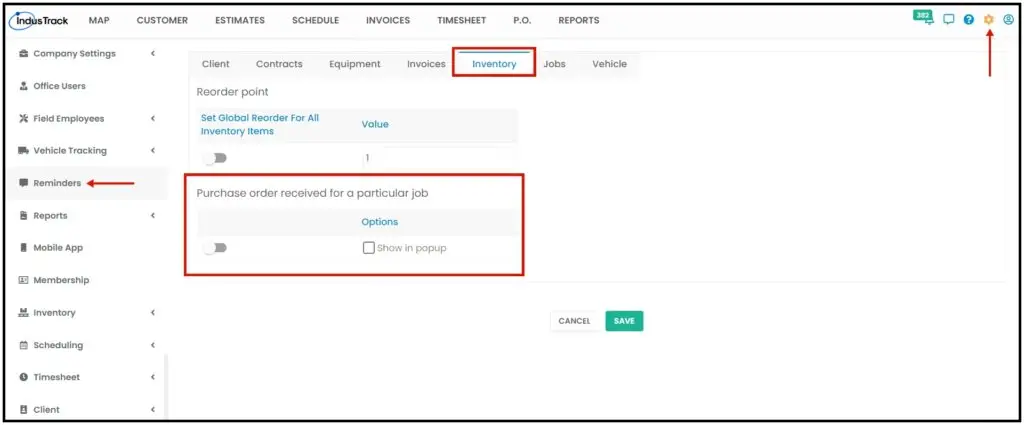
Purchase order receipt reminder
A new reminder tells you when a part is received on a purchase order assigned to a job. When it's on, it appears in the reminders list under the bell icon at the top right. If Show in popup is checked, it also appears in a pop-up when you log in.
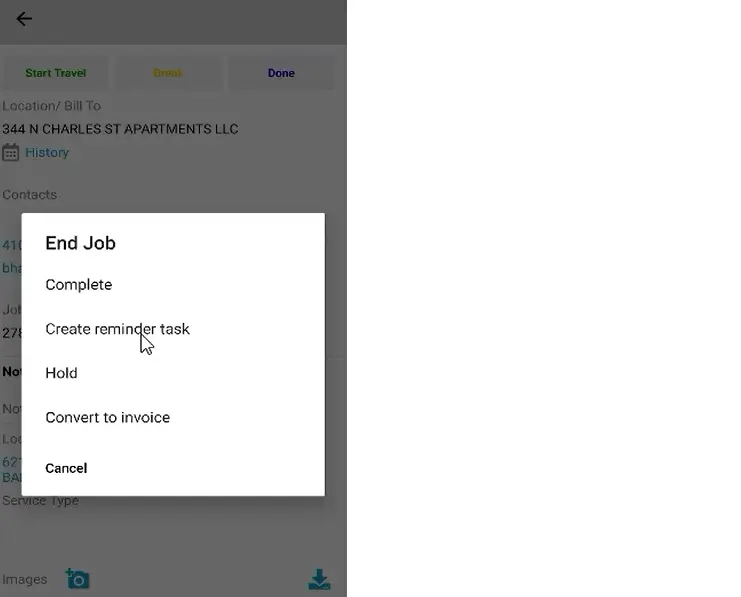
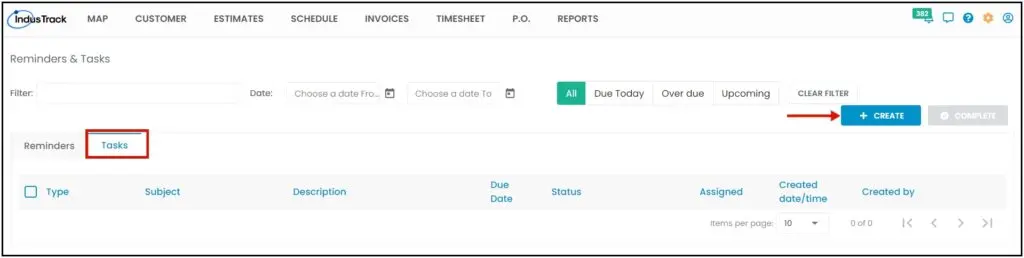
Reminder and follow-up tasks
Field employees can now create a reminder task after they tap Done on a job, to let the office know about follow-up work needed. Office users can also create tasks: click the bell icon, select See All Reminders, open the Tasks tab and click Create.
Was this article helpful?
Contact support